


Field Service Inventory Management Software With Automatic Cost Tracking
FIELDBOSS Inventory is a field service inventory management module built on Microsoft Dynamics 365 Business Central that connects the parts technicians use to the work orders, projects, and maintenance jobs they’re tied to, while Business Central handles purchasing, stock levels, and costing behind the scenes.


































How FIELDBOSS Parts Inventory Management Works
FIELDBOSS gives field and office teams the same view of stock, cost, and location that already lives in Business Central, so nobody has to work in two systems to see it.
See Availability in Real Time
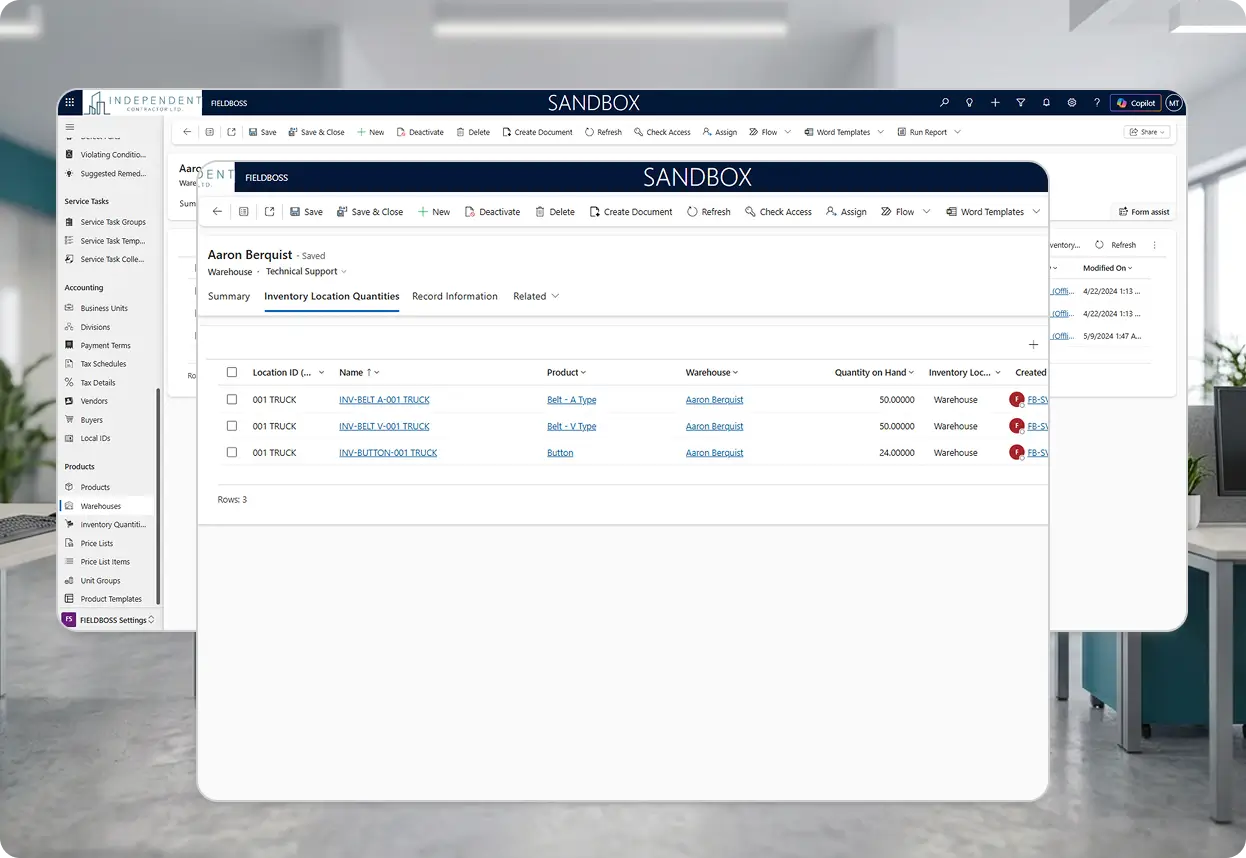
Stock levels stay visible across every warehouse and truck, so dispatchers and technicians see what’s on hand before a job is scheduled, not after a truck rolls.
Availability updates as inventory moves, so office staff plan a job around the parts they actually have instead of guessing and finding out on-site.
- Real-time inventory availability across multiple locations
- Visibility for both office staff and field technicians
- Availability tied to the same data Business Central manages
Issue Parts to the Job That Used Them
Technicians and mechanics select inventory or material products right from the mobile app, pulling from a truck stock or a main warehouse, and issuing them straight to the work order.
Every issuance keeps an accurate record of what was used where, whether the work is a service call, a maintenance visit, or a project.
- Mobile parts selection for mechanics in the field
- Items pulled from truck stock or a main warehouse
- Coverage for service calls, maintenance, and project work
Costs Update Automatically Without Double Entry
Item costs update automatically based on Business Central transactions, so the cost tied to a work order reflects what the part actually cost, not a stale list price.
Because FIELDBOSS and Business Central share the same inventory data, an issued part gets recorded automatically in Business Central without anyone re-keying it.
- Automatic cost updates from Business Central transactions
- No manual re-entry between FIELDBOSS and Business Central
- Accurate job costs without a separate reconciliation step
Move Stock Between Warehouses and Trucks
FIELDBOSS supports truck stock management alongside standard warehouse transfers, so inventory moves with the work instead of sitting in the wrong location.
Warehouse and truck-to-truck transfers stay visible to the office, which matters most for contractors running multiple branches or a fleet of service vehicles.
- Transfers between warehouses or to truck stock
- Multi-location visibility for multi-branch operations
- Inventory movements reflected on both sides of the transfer
Manage Purchasing and Costs Without the Guesswork
Business Central handles purchasing, stock levels, and inventory costing, while FIELDBOSS gives office and field teams visibility into that same information as they manage their work.
That division keeps inventory accurate at the source instead of syncing partial data between two systems that can drift out of step.
- Purchasing and stock control managed in Business Central
- That same data surfaced on work orders, projects, and maintenance jobs
- One inventory view, not two systems to reconcile
Inventory Built for Your Trade
The parts contractors stock look different by trade. FIELDBOSS gives each one visibility into the inventory that actually matters to their jobs.
Elevator inventory software needs to account for parts that can take weeks to source and equipment that’s often obsolete or model-specific. FIELDBOSS keeps that inventory visible against the modernization or service job it’s tied to.
Stock swings with the seasons, and FIELDBOSS keeps warehouse and truck stock visible as demand shifts between install season and emergency repair calls.
Fire protection, mechanical, and other specialty trades often carry very different parts catalogs side by side. FIELDBOSS tracks all of it against the same work orders and projects, regardless of trade.
Before FIELDBOSS, we were not always able to identify and correct these losses as there weren’t tools available to make them visible. FIELDBOSS has given us that clarity, so we are now systematically “plugging those holes in the bottom of the bucket
Explore Related Features


Works With Your Existing Tools
Frequently Asked Question
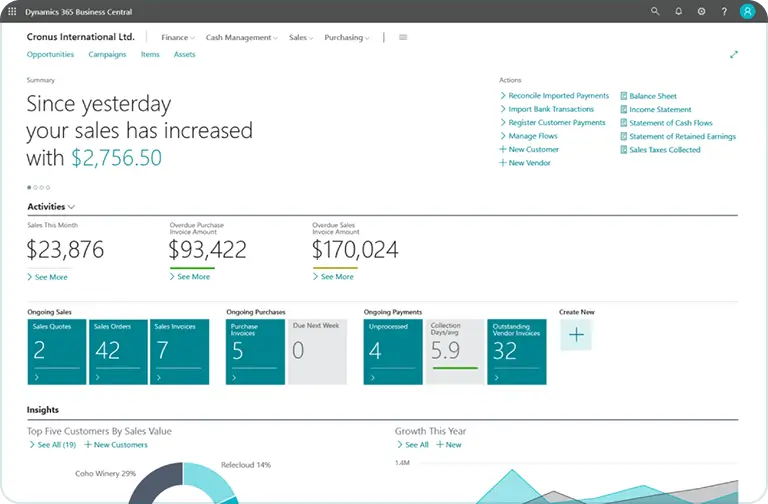
Business Central is where inventory gets purchased and stock levels get controlled. FIELDBOSS connects that inventory to the operational side of the business, like work orders, projects, and maintenance jobs, so office and field teams can see it without working inside Business Central directly.
Issuing the item in FIELDBOSS automatically updates Business Central with that same movement, which handles the resulting costing, so nothing has to be entered twice.
Yes. Mechanics add the parts they use on a job, from a truck stock or a main warehouse, directly from the mobile app.
All three. Inventory connects to work orders across every job type, so material usage and costs track back to whichever job used them.
Inventory locations and stock quantities live in Business Central, and FIELDBOSS mirrors that information so teams see availability by location while they’re managing their work.
See FIELDBOSS Inventory in Action
No guessing what’s on the truck, no chasing stale price lists after the job’s done — see how it works for your team in a focused 30-minute session.

What Is Truck Stock?
Truck stock is inventory carried directly on a service vehicle rather than a central warehouse, giving technicians immediate access to commonly used parts. FIELDBOSS treats truck stock as its own location, so parts transfer to and from it, get issued on a work order, and stay visible alongside a main warehouse.
What Is Inventory Issuance?
Inventory issuance is the process of allocating a part or material to a specific job, such as a work order, project, or maintenance visit, while keeping an accurate record of what was used and where. In FIELDBOSS, issuance connects the parts a technician actually used to the job that used them, which is what makes accurate job costing possible in the first place.
What Is Field Service Inventory Management Software?
Field service inventory management software tracks the parts and materials a service business uses across warehouses, trucks, and job sites, connecting that inventory to the work it supports. For elevator, HVAC, and specialty contractors, that typically means knowing what’s on hand before a job is scheduled, issuing the right parts to the right work order, and keeping inventory costs accurate without double-entering data between systems.