


Work Order Management Software with End-to-End Tracking
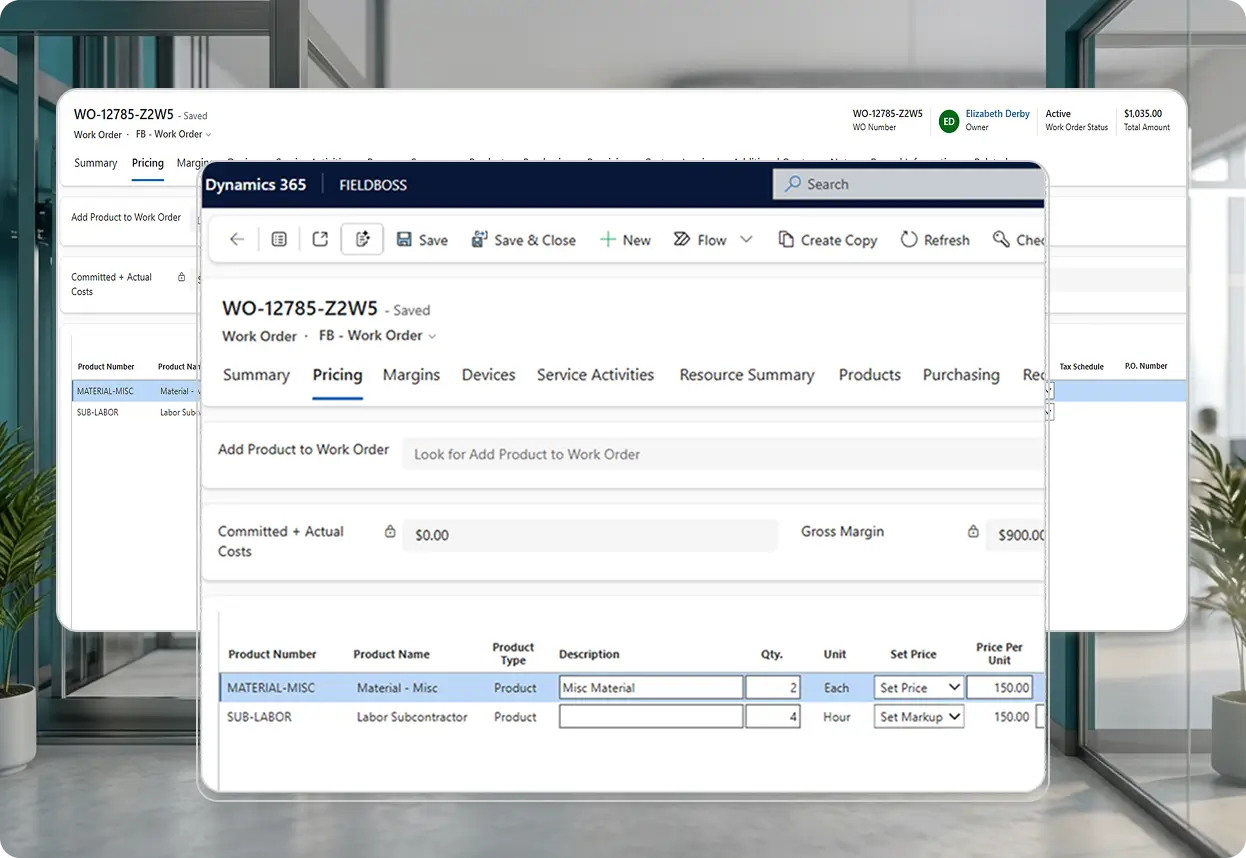
FIELDBOSS Work Orders is a work order management module built on Microsoft Dynamics 365 for service teams, operations, and office staff that brings every job together in one connected record from initial request through invoice, including scheduling, purchasing, labor, materials, and billing.





























How Does a FIELDBOSS Work Order Keep a Job Connected from Request to Invoice?
A FIELDBOSS Work Order is the central record for a job. Quoting, scheduling, purchasing, job costing, and invoicing all connect back to it instead of being managed as separate processes, so the office always has one place to see what happened and what’s still owed.
Every Job, One Connected Record
FIELDBOSS’s field service work order software brings the customer, building location, equipment, scheduled work, labor, materials, and billing together in a single record.
Instead of chasing details across separate systems or paper files, office staff, technicians, and operations all work from the same source of truth for a job, from the initial request through to the invoice. Service Activities completed in the field stay tied to the Work Order automatically, so the record reflects what actually happened on site, not just what was planned.
- Customer, building, equipment, and scheduled work in one connected record
- Service Activities and technician work tied directly to the Work Order
- One job record in place of scattered paper files and disconnected systems
- One place for the office to see what’s happened and what’s still outstanding
See Job Profitability in Real Time
FIELDBOSS tracks labor, materials, subcontractor costs, and other expenses against a Work Order’s quoted and invoiced amounts, so teams can review margins as costs come in.
Materials and predictable expenses, like truck charges, mileage, or commissions, can be configured to post automatically as cost transactions on the Work Order through Auto-Costing, which cuts down on manual entry. Costs are also tied more clearly to specific Work Order Products, making it easier to see exactly where a job’s actual costs are coming from. Margins stay visible as costs are recorded, rather than reconstructed after the job closes.
- Labor, materials, subcontractor costs, and other expenses tracked against quoted amounts
- Auto-Costing for predictable expenses like truck charges, mileage, and commissions
- Costs tied to specific Work Order Products for clearer visibility
- Job profitability visible as costs are recorded, not just after invoicing
Manage Pricing Without Leaving the Work Order
The Work Order Pricing Grid lets teams manage products, pricing, costs, taxes, and totals directly from the Work Order, without opening individual line records one at a time.
A Building Location can carry its own Price List, which takes priority over the Account-level list when a new Work Order is created — for customers with different negotiated rates across locations. Wage Categories default from the Building Location the same way, so the correct labor rate applies automatically.
- Products, pricing, costs, taxes, and totals managed directly on the Work Order
- Automatic Price List overrides at the Building Location level
- Default Wage Categories to reduce manual entry and labor-rate errors
- Fewer individual line records to open and edit one by one
Track Every Device Tied to a Job
A single Work Order can cover multiple devices or pieces of equipment, each with its own service and repair history.
That’s useful for buildings with several elevators, units, or systems serviced under the same job. Each Work Order also shows the date of the last completed Service Activity, so technicians and office staff can see recent service history at a glance without digging through past records. For elevator contractors especially, this keeps a detailed, device-specific service and repair history connected to every job.
- A single Work Order linked to multiple devices or pieces of equipment
- Last completed Service Activity date visible at a glance
- Device-specific service and repair history for each piece of equipment
- Multiple elevators or units tracked separately under one job
Field Updates Flow Back Automatically
FIELDBOSS’s service activity management syncs technician activity from the Mobile App back to the Work Order automatically, so there’s no separate paper trail between field and office.
Time Cards support additional configurable expense fields and mileage tracking, with those costs rolling back to the Work Order as they’re entered. That keeps job costing current without office staff re-keying technician time and expenses by hand.
- Technician updates from the Mobile App, synced back to the Work Order
- No separate paper trail between field activity and the office record
- Configurable expenses and mileage on Time Cards, rolled back to the Work Order
- Job costing kept current without manual re-entry of technician time
Financial Detail Without the Performance Hit
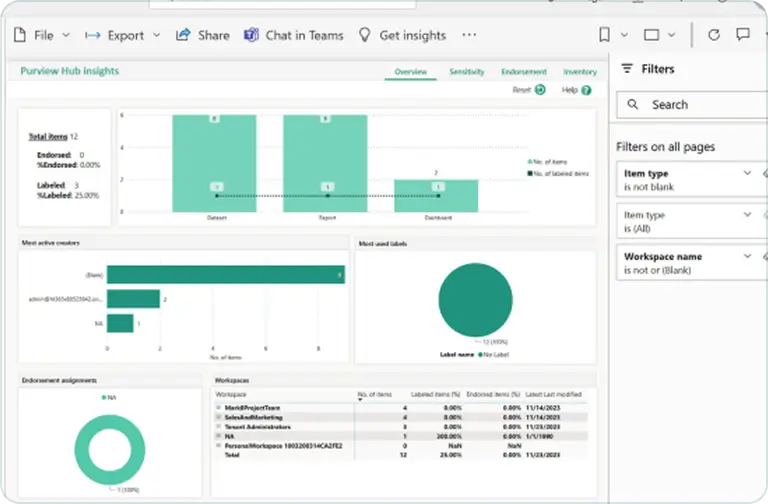
Work Order financials surface directly through embedded Power BI reports, giving teams detailed cost and margin visibility without leaving the record.
This keeps performance strong even on larger Work Orders, with full detail on quoted versus actual costs, margins, and job-level breakdowns. Cancelled Work Orders are protected from accidental changes—they have to be reopened before anyone can edit them or schedule against them again.
- Work Order financials through embedded Power BI reporting
- Better system performance on Work Orders with heavy financial detail
- Cancelled Work Orders locked from edits and scheduling until reopened
- Quoted-versus-actual cost detail visible without leaving the record
Work Order Management Built for Your Trade
FIELDBOSS Work Orders aren’t generic. They’re built around the job types, compliance needs, and cost structures specific to your industry.
Keep every device accounted for across building portfolios that span hundreds of units. FIELDBOSS’s multi-device tracking keeps each device’s service and repair history connected to the Work Order, so technicians and office staff always know exactly what was serviced and when.
Keep margins visible even when seasonal demand swings costs sharply. FIELDBOSS’s Job Costing and Auto-Costing post labor, materials, and predictable expenses like truck charges automatically, so profitability stays clear through the busiest stretches of the year.
Run every trade through the same back office instead of juggling separate processes per service type. FIELDBOSS keeps Work Orders, pricing, and job costing consistent across fire protection, mechanical, and other specialty trades alongside elevator or HVAC work, so every job and every technician can move through one connected process.

Moving to a true cloud software significantly improved the efficiency and flexibility of our field service operations. The ability to manage schedules with drag-and-drop functionality, quickly establish new sites, and dispatch photo-backed reports remotely offers immense benefits for our mobile teams.
Explore Related Features


Works With Your Existing Tools
Frequently Asked Question
Yes. The Work Order brings together the customer, building, equipment, scheduled work, labor, materials, costs, and billing information, giving the office one place to see what’s happened on a job and what’s still outstanding.
Yes. FIELDBOSS brings quoted amounts and actual job costs together so teams can review margins as labor, materials, subcontractor costs, and other expenses are recorded.
Yes. Work Orders can be linked to the building location and the specific device being serviced, which matters for elevator contractors who need a detailed service and repair history for each piece of equipment.
Yes. Service Activities completed through the FIELDBOSS Mobile App connect back to office-side records automatically, so there’s no separate paper trail to maintain.
Yes. Purchasing, job costing, and invoicing all tie back to the Work Order, keeping the operational and financial sides of a job connected instead of managed separately.
Ready to Connect Every Job From Request to Invoice?
See how FIELDBOSS keeps scheduling, costing, and billing connected in one Work Order: a focused walkthrough built around how your team actually works.

What Is Work Order Management Software?
Work order management software helps service businesses create, assign, track, and close the jobs that make up their day-to-day operations, connecting scheduling, labor, materials, purchasing, and billing to a single job record. It replaces paper work orders and disconnected spreadsheets with one system that shows a job’s full history, from the initial request through to the invoice. Platforms like FIELDBOSS build this natively into Microsoft Dynamics 365, so job costs and invoices flow directly into accounting without a separate integration step.
What is a Work Order?
A Work Order is the central record in FIELDBOSS’s work order system, tracking a job from the initial request through scheduling, purchasing, billing, and job costing. It ties together everything the office and field teams need to manage a job from start to finish.
What is Job Costing?
Job Costing is the tracking of labor, materials, subcontractor costs, and other expenses against a job’s quoted and invoiced amounts. In FIELDBOSS, job costs post directly to the Work Order, giving teams real-time visibility into job profitability.
What is Auto-Costing?
Auto-Costing lets teams configure materials and predictable expenses, like truck charges, mileage, or commissions, to automatically post as cost transactions on the Work Order, instead of being entered by hand for every job.