
Field Service Mobile App Built for Offline Field Work
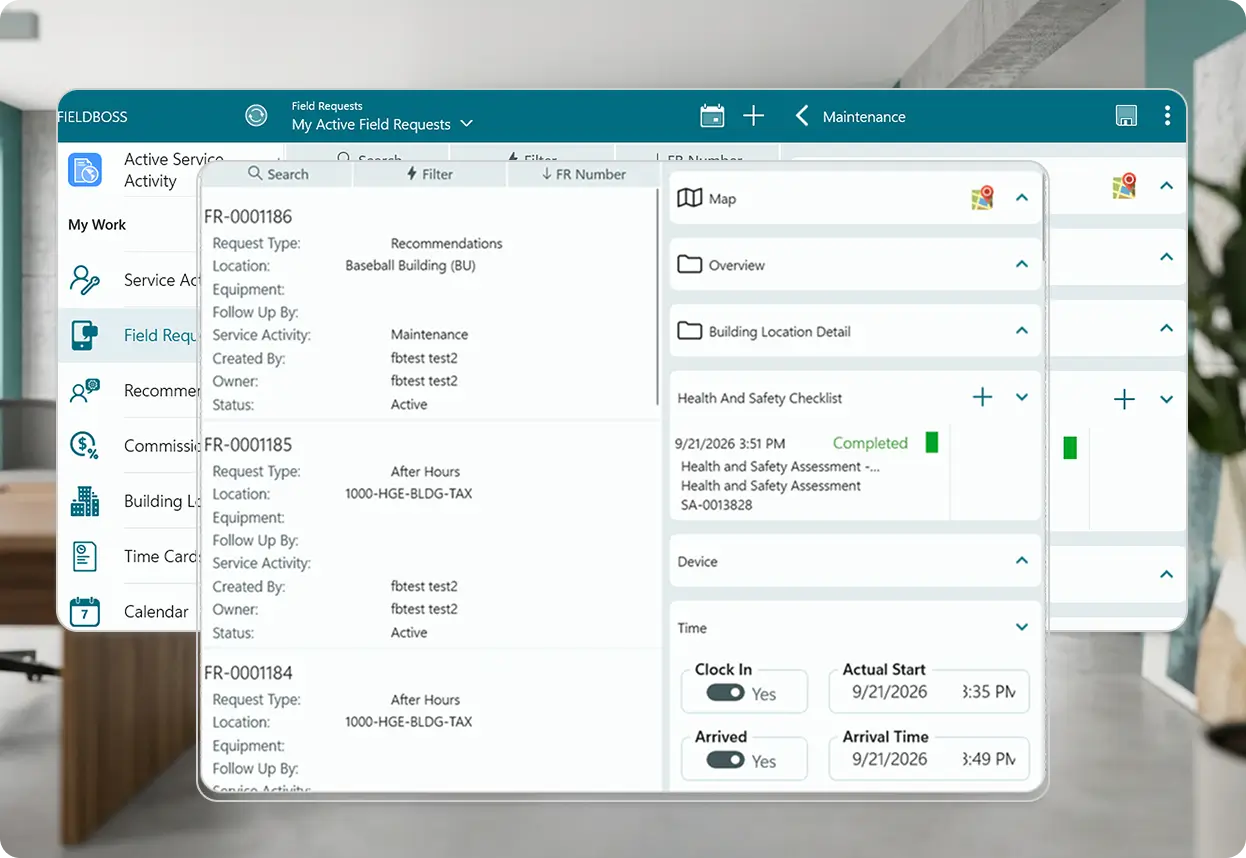
FIELDBOSS Mobile is a field service mobile app built on the Resco platform for HVAC, elevator, and specialty technicians. It syncs job, customer, and equipment details to any phone or tablet, keeps technicians working through dead zones and mechanical rooms with full offline access, and sends completed timecards, notes, photos, and signatures back to the office the moment a connection returns.
































What the Award-Winning FIELDBOSS Field Service Mobile App Can Do
FIELDBOSS Mobile, powered by Resco, is the one app technicians need to run the entire job — assigned work and equipment history, time tracking, purchasing, inspections, and navigation to the next site. It works exactly the same with or without a signal, syncing everything back to the office the moment they reconnect — which is why over 95% of FIELDBOSS’s HVAC and elevator customers rely on it every day.
Every Job Detail Synced to the Technician's Device
Assigned service calls, maintenance work, and equipment history sync from FIELDBOSS to the technician’s phone or tablet the moment a job is scheduled.
Real-time building and contact information travels with the job, so technicians arrive already knowing who to ask for, what equipment they’re servicing, and what happened on the last visit, instead of calling the office to piece it together.
- Assigned service calls and maintenance work synced to the device
- Job, customer, building, and equipment details available in the field
- Real-time building and contact information, not a stale copy
Work Continues Even Without a Signal
FIELDBOSS Mobile keeps working in mechanical rooms, elevator shafts, and other dead zones with no internet or cell service, then syncs completed work back to the office the moment a connection returns.
The app is engineered for genuinely offline operation rather than treating a dropped signal as an edge case. Technicians complete work orders, capture signatures, and log time without waiting on connectivity, and nothing from the visit is lost in the gap.
- Full offline access to assigned work orders and job data
- Same functionality whether online or offline
- Automatic sync back to FIELDBOSS once reconnected
- No lost work in low-connectivity mechanical rooms or elevator shafts
Time and Purchase Orders Without a Trip to the Office
The mobile app tracks technician timecards — including travel, onsite time, and lunch breaks — and lets technicians dispatch themselves to available work or create purchase orders from the field.
That keeps the office out of manual timecard entry and gives technicians a way to pick up newly available work or order parts without waiting on a dispatcher, particularly useful on days when the schedule shifts fast.
- Timecards tracked from the app, including travel, onsite time, and lunch breaks
- Self-dispatch to available work
- Purchase orders created directly from the field
Photos, Signatures, and Completed Forms from Every Visit
Notes, photos, and customer signatures attach directly to the job record, and updated questionnaires and inspection templates make it easy to capture required information consistently on every visit.
Completed forms sync back to the office along with everything else from the job, for review, processing, and billing, without technicians carrying a separate paper trail into the field.
- Notes, photos, and customer signatures captured in the field
- Digital questionnaires and inspection checklists
- Completed information sent back to the office for processing and billing
Directions to the Next Job, Not Just an Address
Technicians map their next service call directly from inside the FIELDBOSS mobile app, with interactive maps built right into the same tool they use for the rest of the job.
Rather than switching to a separate maps app and losing the job context, technicians get directions from wherever they are straight to the next site, cutting the guesswork out of a full day of stops.
- Service call locations mapped from inside the app
- Interactive maps built into the mobile app
- Navigation to the next job without leaving FIELDBOSS
Serial Numbers, Warranties, and Service History at a Glance
Serial numbers, warranty details, and full equipment history are available on the technician’s device for every piece of equipment on the job.
Instead of hunting through paperwork or calling the office to confirm which unit is on-site, technicians see the equipment record and its service history directly in the app before they even start the job.
- Equipment details, serial numbers, and warranty information in the field
- Full equipment and service history on the technician’s device
- Equipment record available before the technician starts the job
Mobile Field Service Software Built for Your Trade
The information technicians need most in the field varies by trade — asset history for elevator inspections, service agreements for HVAC calls, job-specific data for specialty work — but FIELDBOSS Mobile keeps all of it synced and available offline no matter the job
Carry full asset history and safety checklists into every elevator shaft and mechanical room, even with no signal. Technicians complete inspections and log service on the FIELDBOSS mobile app fully offline, so compliance documentation stays complete no matter how deep in the building the job is.
Give technicians instant access to service agreements and equipment history before they knock on the door. Job details sync to the mobile app the moment a call is dispatched, so techs arrive prepared and customers get faster, more accurate service.
Adapt the same mobile app to whatever job type comes up next. Digital questionnaires and inspection templates flex to the work being done, so crews across different trades capture the right information without carrying separate tools for separate jobs.
The less time we’re spending doing paperwork on our phones, the more time we can dedicate to keeping elevators maintained and running.
Explore Related Features


Inventory
Check parts and materials on hand before creating a purchase order in the field.

Works With Your Existing Tools
Frequently Asked Question
Yes. The FIELDBOSS mobile app runs fully offline, so technicians keep working in mechanical rooms, elevator shafts, and other low-signal areas, and everything syncs back to FIELDBOSS once a connection returns.
Yes. The FIELDBOSS mobile app is available on both the Apple App Store and Google Play, so technicians can use it on the device they already carry.
Yes. Once the technician syncs, completed work, time, notes, and other job details post back to the office for review, processing, and billing.
Yes. Technicians can log timecards directly from the mobile app, including travel time, onsite time, and lunch breaks.
Yes. Technicians capture notes, photos, and customer signatures in the field, and that information syncs back to the office with the rest of the completed work.
Yes, when SMS notifications are configured. The office can send or resend a text alert to the technician the moment their schedule or assigned work changes.
Tired of Losing Field Work Every Time a Technician Loses Signal?
See how FIELDBOSS Mobile keeps technicians working through dead zones and syncs everything back the moment they reconnect.

What Is a Field Service Mobile App?
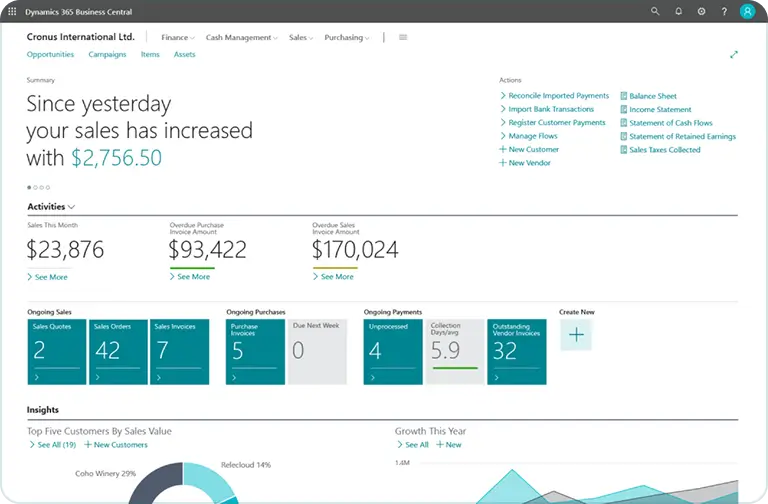
A field service mobile app — sometimes just called a field service app — gives technicians access to job, customer, and equipment information from a phone or tablet, instead of relying on paper or calls back to the office. FIELDBOSS Mobile syncs directly with Microsoft Dynamics 365 Business Central, so the same job, contract, and equipment data used in the office is available on-site. It works fully offline, so technicians in mechanical rooms, elevator shafts, and other low-signal areas can keep working without interruption.
What Is Offline Field Service Software?
Offline field service software keeps functioning without an internet or cell connection, letting technicians complete work orders, capture signatures, and log time on-site regardless of signal. FIELDBOSS Mobile is engineered specifically for this kind of offline-first operation, rather than treating a dropped connection as an edge case. Once a technician reconnects, completed work syncs back to FIELDBOSS automatically.