


Tool Tracking Software With Built-In Audit History
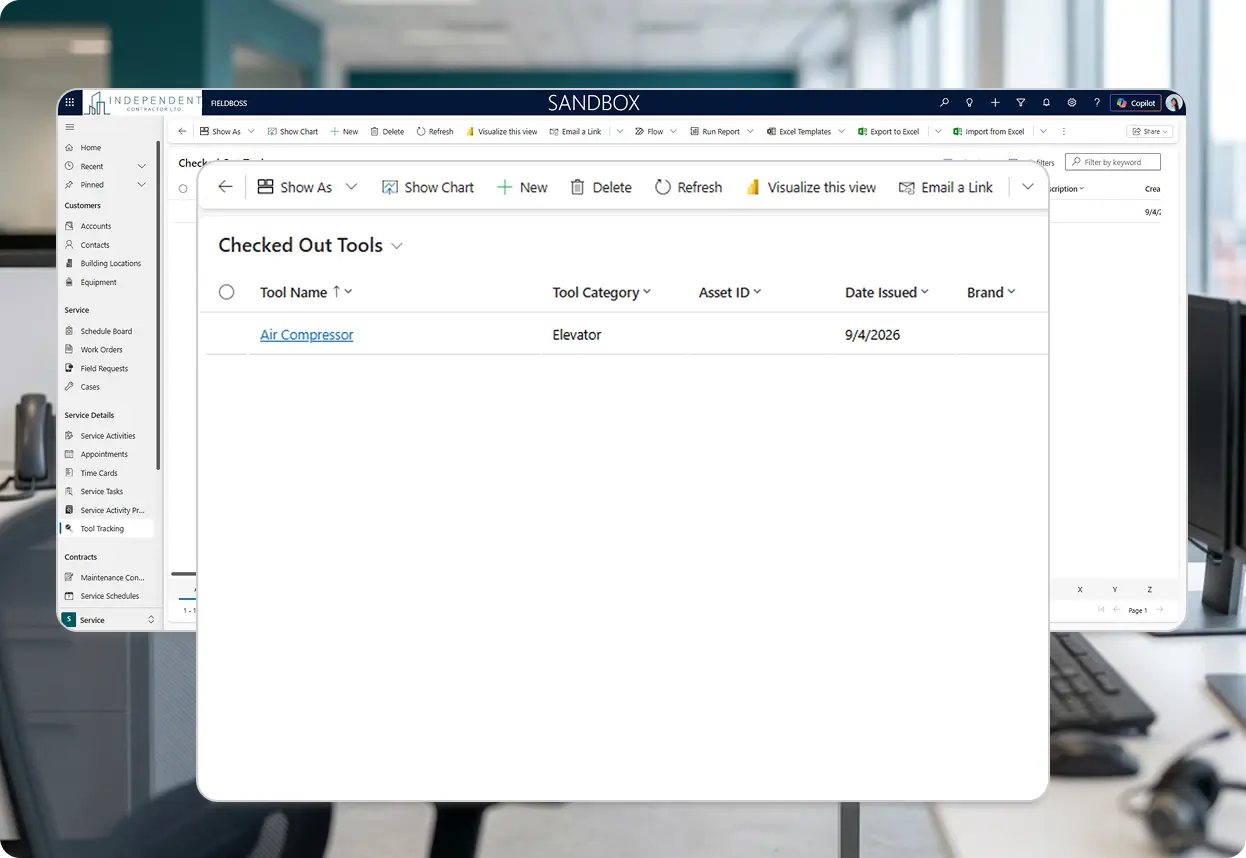
FIELDBOSS Tool Tracking is a tool and equipment management module built on Microsoft Dynamics 365 that lets service and dispatch teams handle equipment check-out and check-in, track certifications and inspections, and see an audit trail of who used what and when.


























How FIELDBOSS Equipment Check-Out and Check-In Works
FIELDBOSS gives service managers field service tool management they can actually enforce — every tool checked out is tied to a technician, an audit trail, and a certification record.
Check Tools Out, Check Them Back In
FIELDBOSS checks tools out against the technician or mechanic responsible for them, creating clear accountability the moment a tool leaves the shop.
Because every tool is tied to a person rather than floating around a job site, service managers always know who has what, without walking the shop to find out.
- Tools assigned to individual technicians or mechanics
- Accountability built into the check-out itself
- Reduced risk of theft or misplacement
See Tool History
Every check-out and check-in creates an Audit History, giving admins and supervisors a complete trail of which employee used a tool, at what time, and for what purpose.
That trail turns a guessing game into a quick lookup when a tool goes missing or a job needs to be reconstructed after the fact.
- Audit History created automatically on every check-out
- Full trace of which technician used which tool, and when
- Evidence trail for loss investigations and accountability reviews
Keep Certifications and Inspections Current
FIELDBOSS keeps certifications tracked alongside the tools themselves on a master list, so service managers see what needs attention before it becomes a compliance problem.
Inspection dates recorded against individual tools give supervisors a straightforward way to keep equipment inspection-current without a separate spreadsheet.
- Certifications tracked and maintained on a master tool list
- Inspection dates recorded against individual tools
- One place to see what equipment needs attention
Identify Any Tool by Serial Number
Serial numbers recorded on individual tools make it easy to identify and track specific equipment as it moves between technicians and job sites.
That level of detail is what turns simple tool tracking into real asset tracking for higher-value or specialized equipment, where knowing exactly which unit is in the field is the point.
- Serial numbers recorded on individual tools
- Specific equipment tracked as it moves between technicians
- A detailed, serial-level master list of tools and equipment
Tool Tracking Built for Your Trade
Specialized and certified tools carry more risk to lose track of in some trades than others. FIELDBOSS applies the same check-out, audit, and certification tracking across all of them.
Elevator work depends on specialized, often expensive tools and testing equipment. FIELDBOSS keeps each one checked out to a specific mechanic, with certifications tracked alongside the equipment itself.
Refrigerant handling equipment and specialty gauges are easy to lose track of across a large technician fleet. Checking tools out by technician keeps accountability in place as crews move between jobs.
Multi-trade crews often share a wider pool of tools across more people. FIELDBOSS’s audit trail keeps that shared pool accountable no matter how many technicians touch it.

We’re no longer second-guessing job details or scrambling for data. It’s all there when and where we need it.
Explore Related Features

Inventory
Track parts alongside tools and equipment, all connected to the job that used them.


Works With Your Existing Tools
Frequently Asked Question
Yes. Tools check out to individual technicians or mechanics, so the office always has visibility into who’s currently responsible for each one.
Yes. Inspection dates are recorded against individual tools, so office staff and supervisors always know when equipment needs to be inspected.
Yes. Serial numbers are recorded on individual tools, making it easier to identify and track specific equipment as it moves between technicians.
Stop Walking the Shop to Find a Tool
No more guessing who has what — see how it works for your team in a focused 30-minute session.

What Is an Audit History?
An Audit History is the trail created every time a tool is checked out or checked in, recording which employee used it, when, and for what purpose. It turns tool accountability from something a manager has to reconstruct after the fact into something they can look up directly.
What Is Tool Tracking Software?
Tool tracking software lets service and field businesses manage a shared pool of tools and equipment by checking them out to specific technicians, recording certifications and inspection dates, and keeping an audit trail of who used what and when. For contractors managing specialized or expensive equipment, it replaces informal tracking with a system that shows exactly where a tool is and who’s accountable for it.