


Business Central Field Service, One Unified System
FIELDBOSS is a field service platform built natively on Microsoft Dynamics 365 Business Central for HVAC, elevator, and specialty contractors that runs work orders, technician time, inventory, and billing directly on Business Central’s own data model — not through an integration, but as a true platform extension.
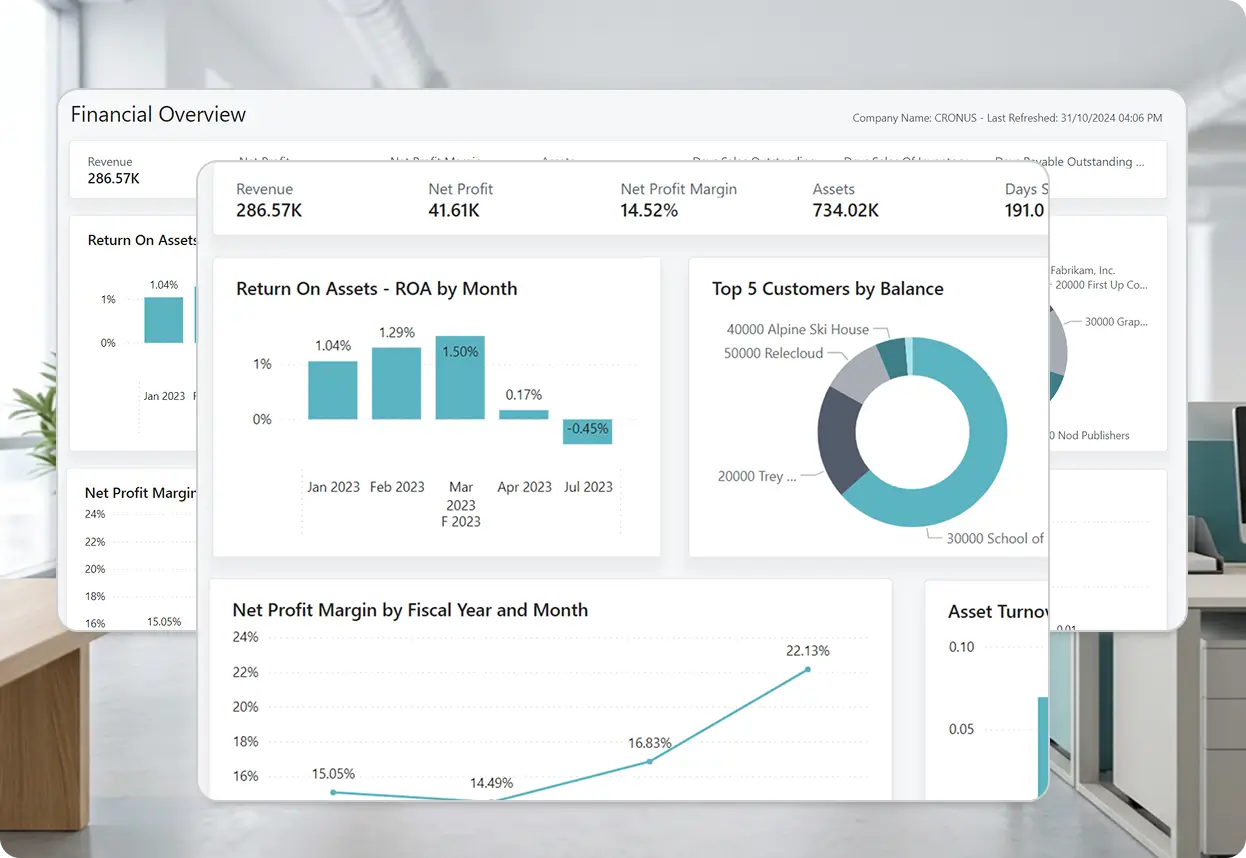



































How Does FIELDBOSS in D365 Business Central Work?
Because FIELDBOSS is built inside Business Central rather than connected to it, financial data, user permissions, and change history all live in Business Central itself — nothing runs in a second system that has to be synced, secured, or audited separately.
Field Work and Financials in the Same System
Work orders, technician time, and inventory write directly into the same Business Central tables used for purchasing, sales, banking, and the general ledger. When a technician logs time or issues a part against a work order, that entry posts to the same accounts finance already relies on for reporting — no export file, no journal entry to key in, and no month-end catch-up, because the transaction was never anywhere else.
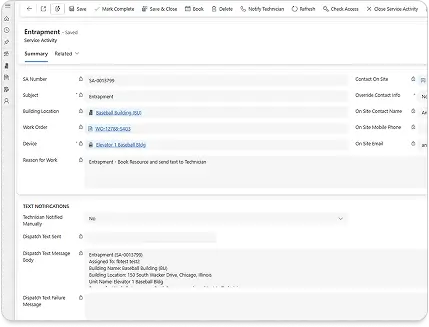
The Same Identity and Access Rules as the Rest of the Business
FIELDBOSS users authenticate through Microsoft Entra ID and inherit the same role-based permissions Business Central already applies to finance and operations, down to which records a given technician or dispatcher can see. IT manages one set of credentials and one permission model, not a second system to provision and audit separately.
One Audit Trail From the Work Order to the General Ledger
Every work order, timecard, and invoice carries the same change history Business Central already keeps for financial transactions — who created it, when it changed, and what changed. There’s no separate field service log to reconcile against the financial one during an audit, because it’s the same log.
No Sync Job, Because There's Nothing to Sync
Most field service software connects to an ERP through a scheduled data sync or an API layer that moves records between two databases on a delay. FIELDBOSS skips that step entirely — field service data is Business Central data, updated in real time because it’s written to the same tables, not copied into them.
Extending FIELDBOSS's Functionality on Business Central
That same native foundation reaches further than day-to-day field work — it powers deeper reporting and gives contractors still running older ERPs a more direct path onto FIELDBOSS.
Power BI & Fabric
Build custom dashboards in Power BI and unify operational and financial reporting with Microsoft Fabric’s semantic data layer, using the same Business Central data FIELDBOSS already writes to.
Dynamics GP Migration
Still running Dynamics GP? Move to FIELDBOSS on Business Central ahead of GP’s end-of-life, without losing the ERP backbone your team already knows.
Frequently Asked Question
Not in the way that term is usually used. Most D365 BC add-ons are separate modules or connectors layered on top of Business Central, often with their own database or license. FIELDBOSS is built directly inside Business Central instead, sharing its data model and security rather than sitting alongside it.
FIELDBOSS is built natively inside Microsoft Dynamics 365 Business Central, not connected to it through an integration or API layer. Field service data and financial data live in the same database and share the same security model.
No. FIELDBOSS uses Business Central’s existing Microsoft Entra ID authentication and role-based permissions, so administrators manage one set of user accounts instead of two.
It doesn’t need to “get into” Business Central — work orders, time entries, and invoices are created directly in Business Central tables from the start, so there’s no sync job or data transfer to manage.
Yes. Because FIELDBOSS data lives natively in Business Central, it’s immediately available to Power BI, Microsoft Fabric, and other tools that already connect to Business Central, without a separate export or connector.
There’s no integration to maintain in the traditional sense — no middleware, no sync schedule, and no separate database. Ongoing maintenance is limited to standard Business Central administration.
Still Choosing Between Field Service Software and a Real ERP?
See how FIELDBOSS gives you both, built natively into Business Central.

What's the Difference Between an Integration and a Native Extension?
An integration connects two separate systems through middleware, a custom API, or a third-party connector, with each system keeping its own database and its own copy of the data. That layer is built and maintained separately, runs on a sync delay rather than in real time, and can produce conflicting versions of a record when both systems update it — and it’s often limited to whatever fields or actions the API or connector actually exposes, sometimes read-only, sometimes missing entire objects, depending on the integration layer and the system on the other end. A native extension skips all of that, built directly inside the host application and sharing its data model, security, and infrastructure rather than passing data across a boundary. Most field service software connects to an ERP through middleware or an API; FIELDBOSS is built inside one instead, so there’s no delay, no conflicting copies of a record, and no restriction on what it can read or write.